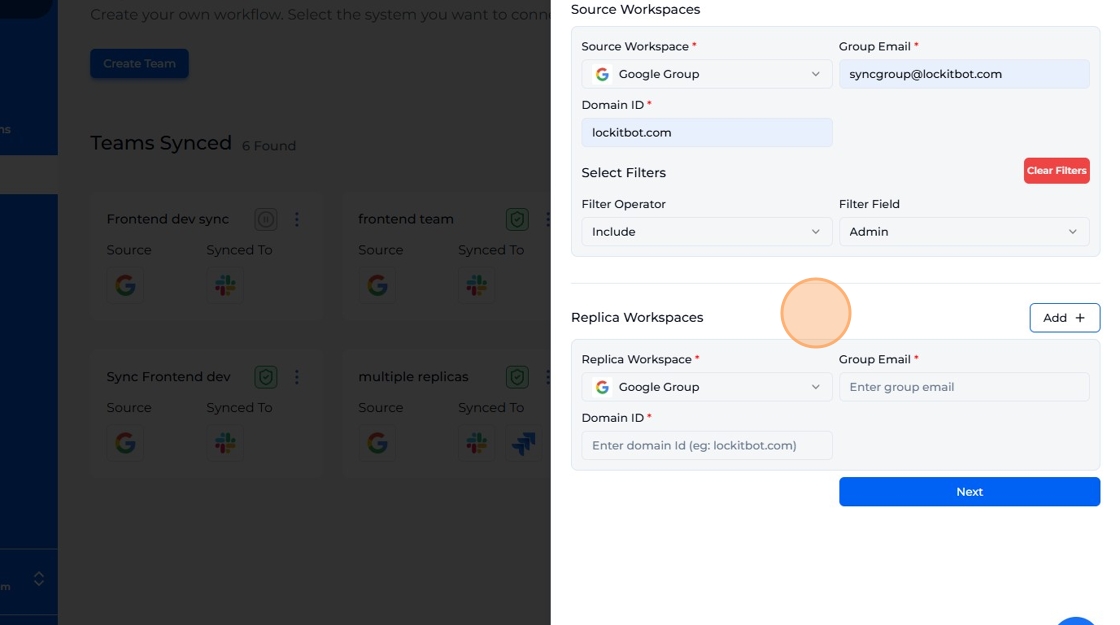
Get Started
Choose the source of a team
Pick the source workspace for a team and filter which users it includes.
-
Select an integrated workspace as source workspace.
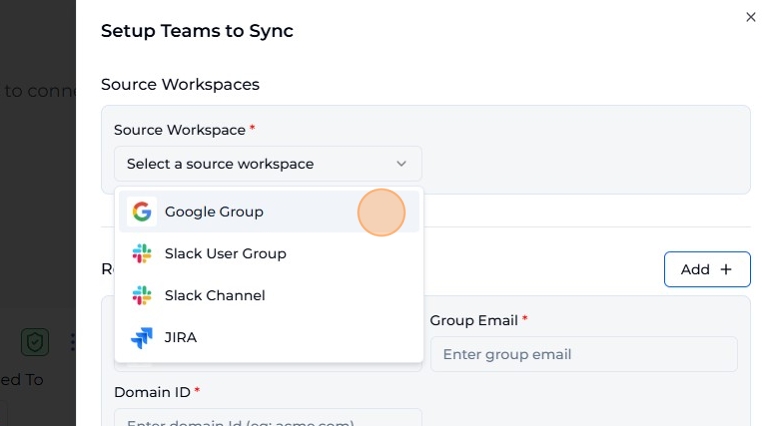
-
Fill in the form fields. The required information changes depending on the workspace you've selected.
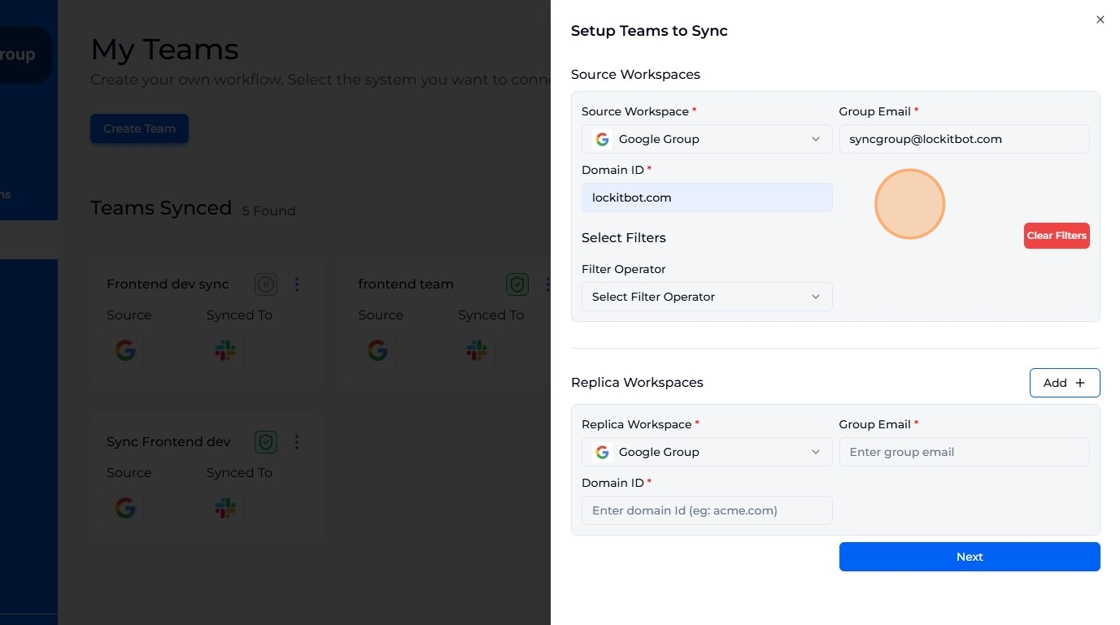
-
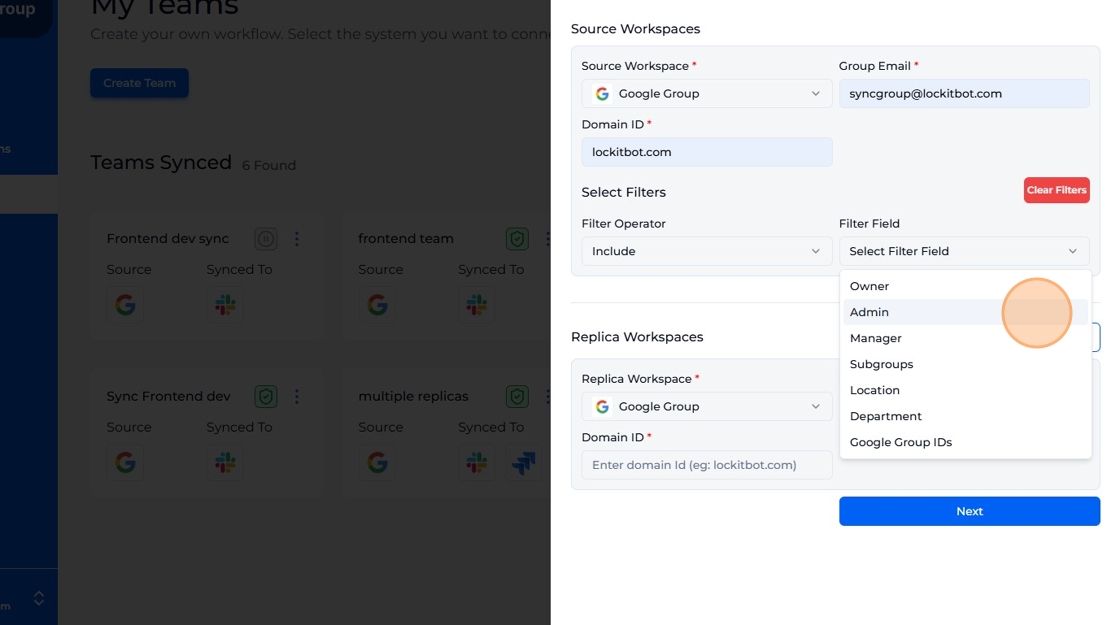
Filter: Include or Exclude users based on role/group (optional).
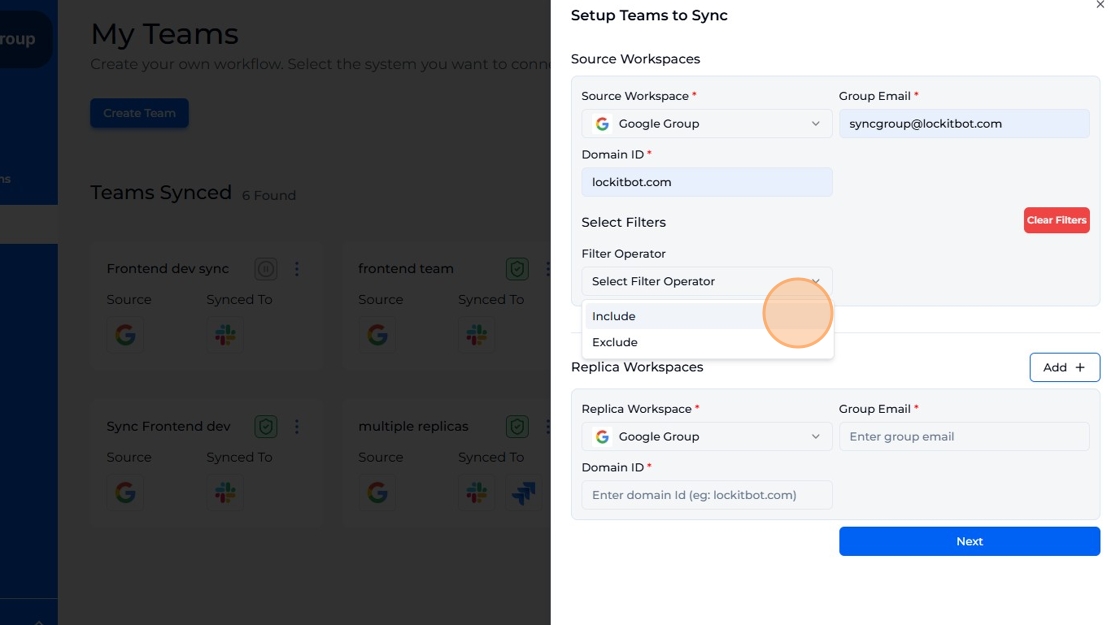
-
Choose the role/group that will be affected by the Include/Exclude filter.
-
Example: This filter will include all users who have the 'Admin' role.