Get Started
Manage team mapping
Update how source users map to destination users, their sync status and destination emails.
-
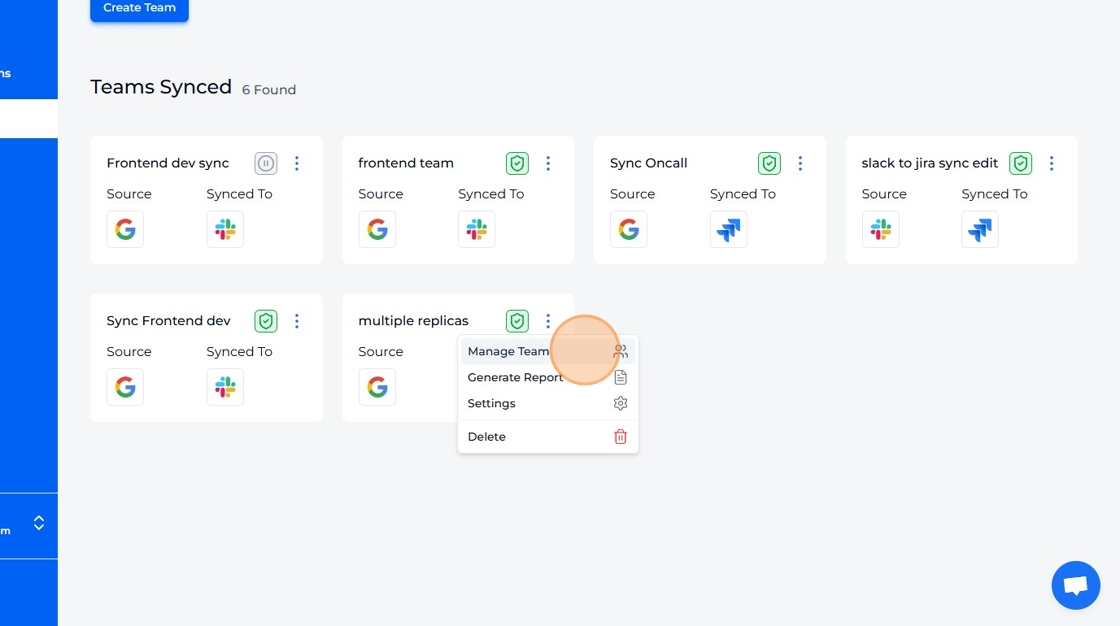
Click "Manage Team" to open the "Manage Users" page.
-
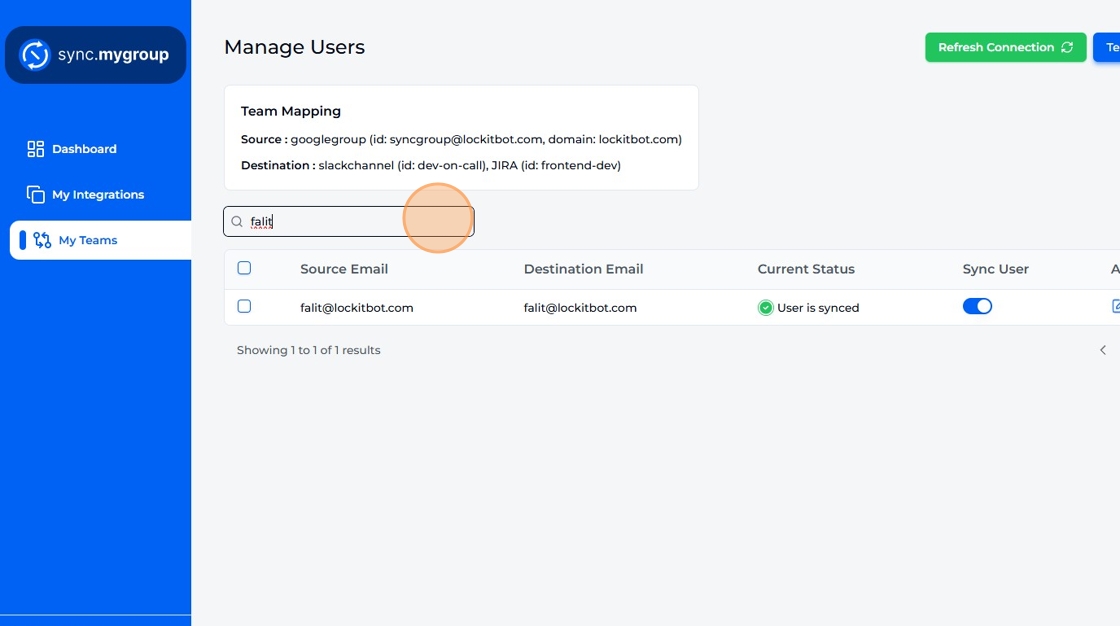
Search for a user based on their email.
-
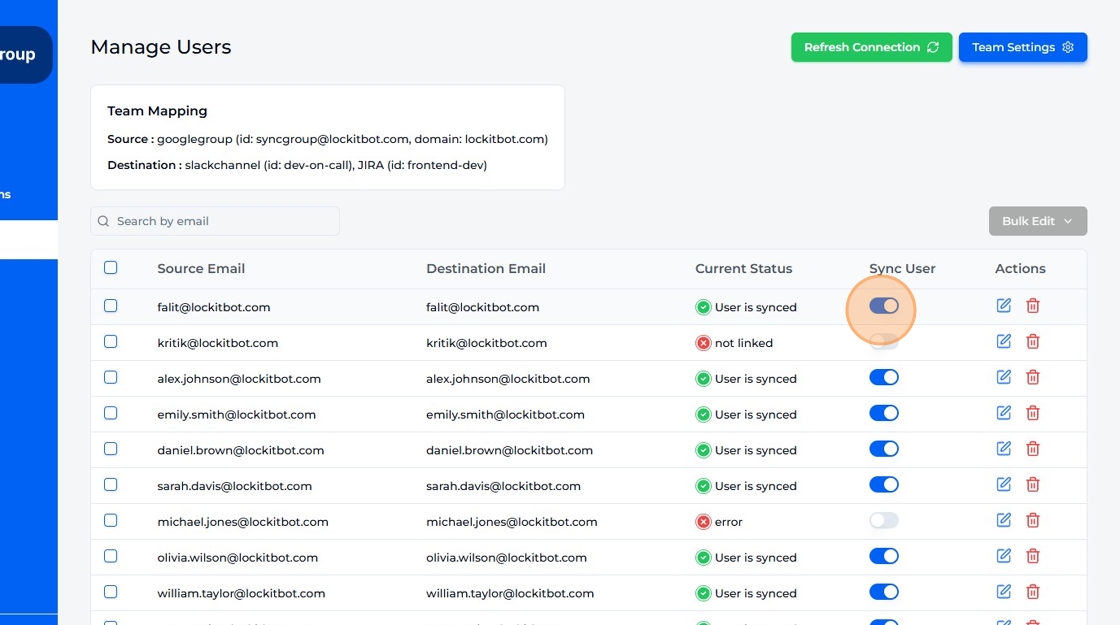
Update a user's sync status.
-
Update the user's destination email address.
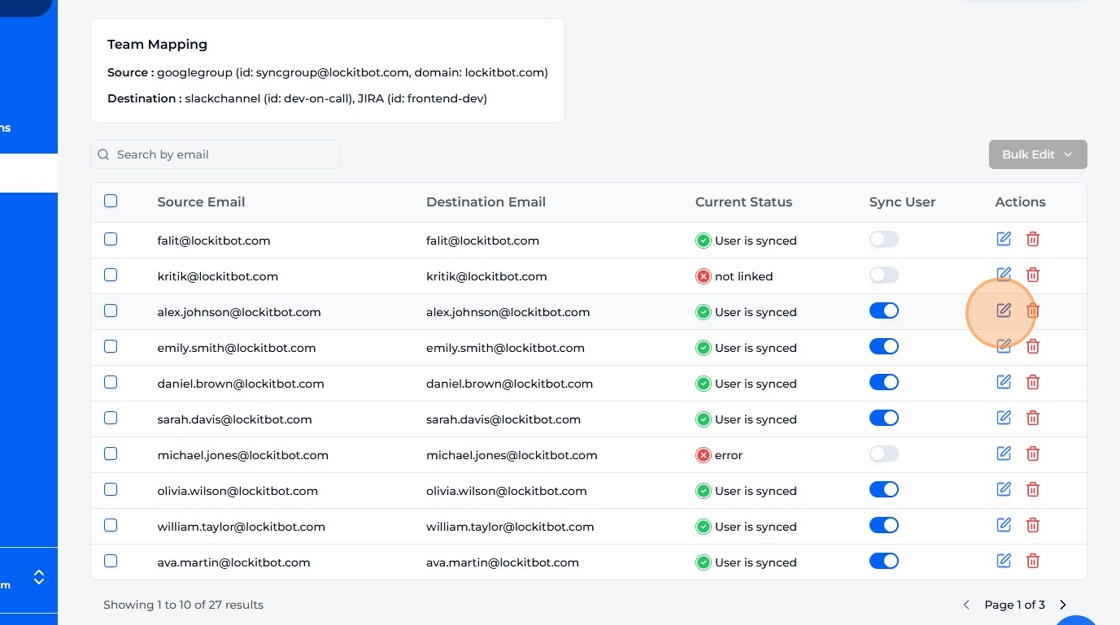
-
Update the user's destination email.
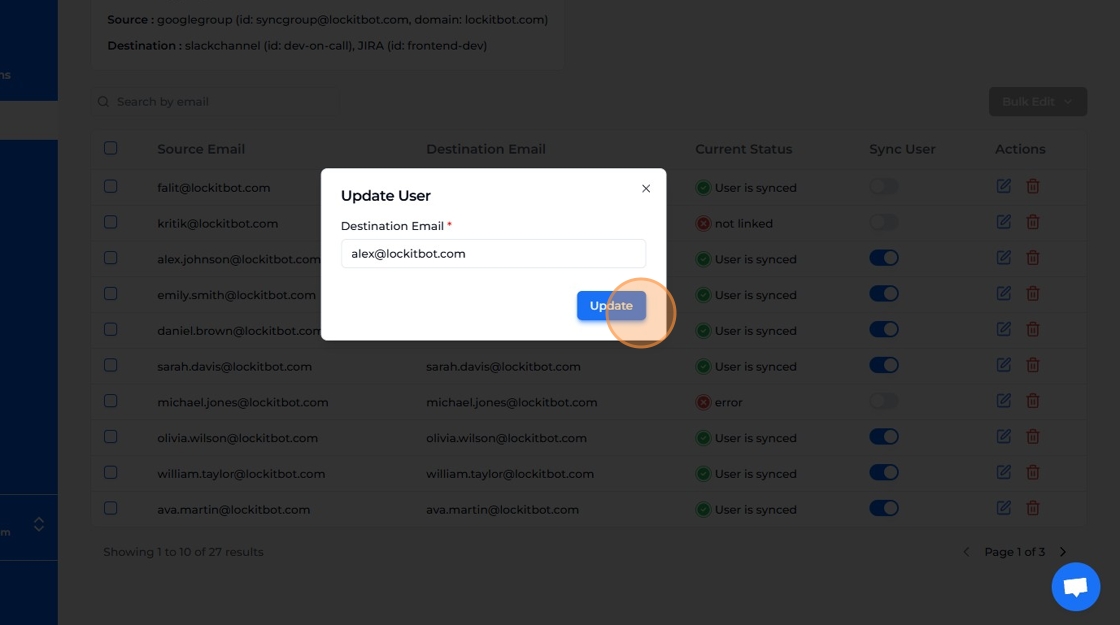
-
Click Delete icon to permanently remove a user from team.
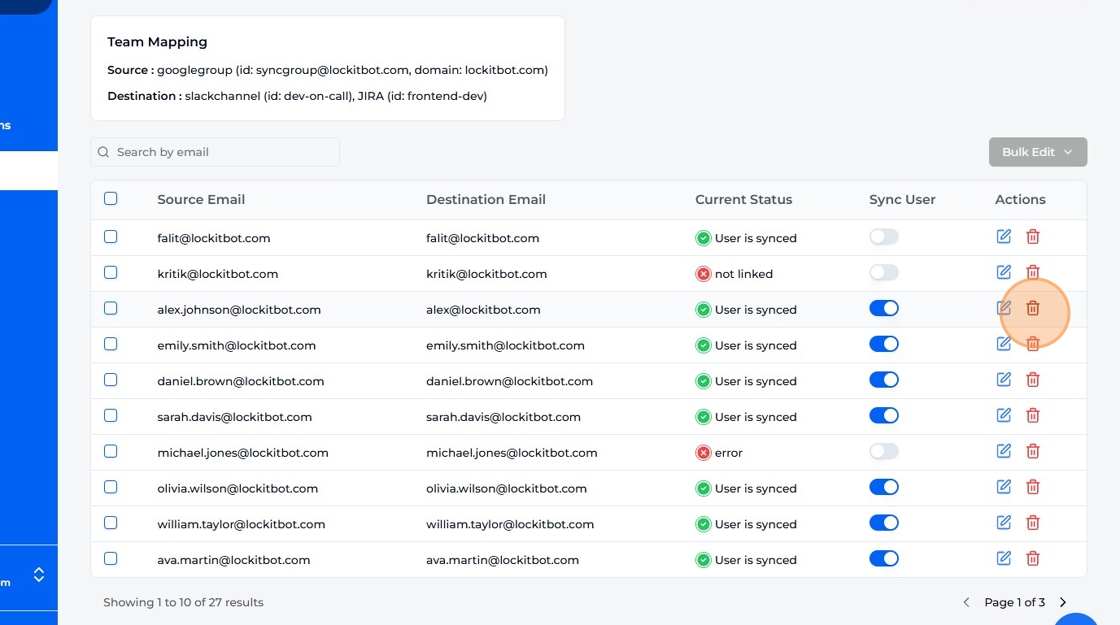
-
Confirm user deletion.
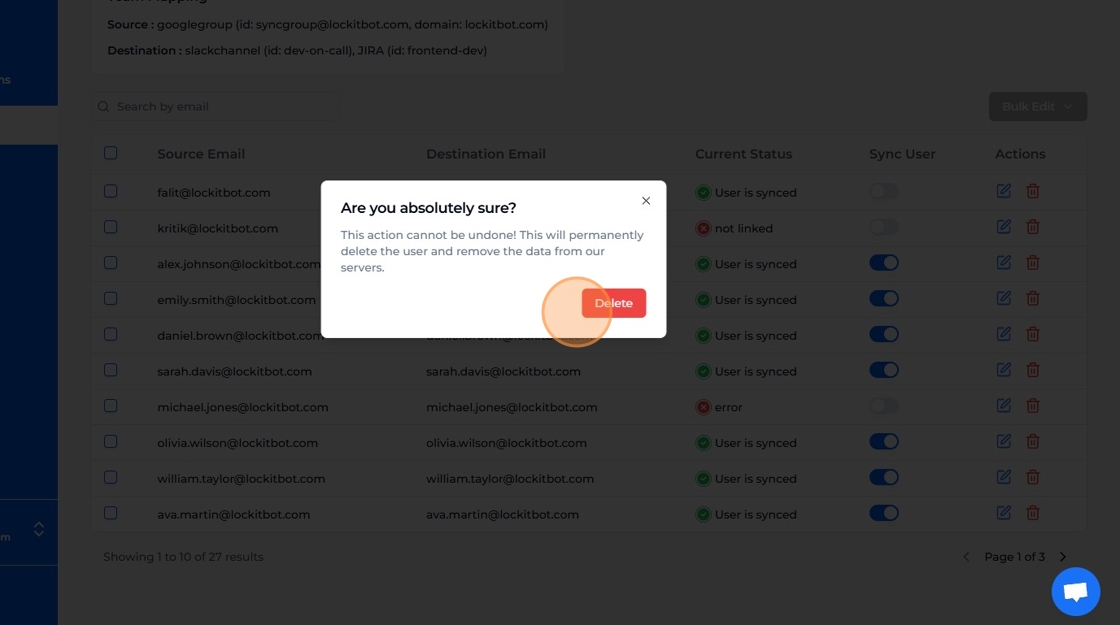
-
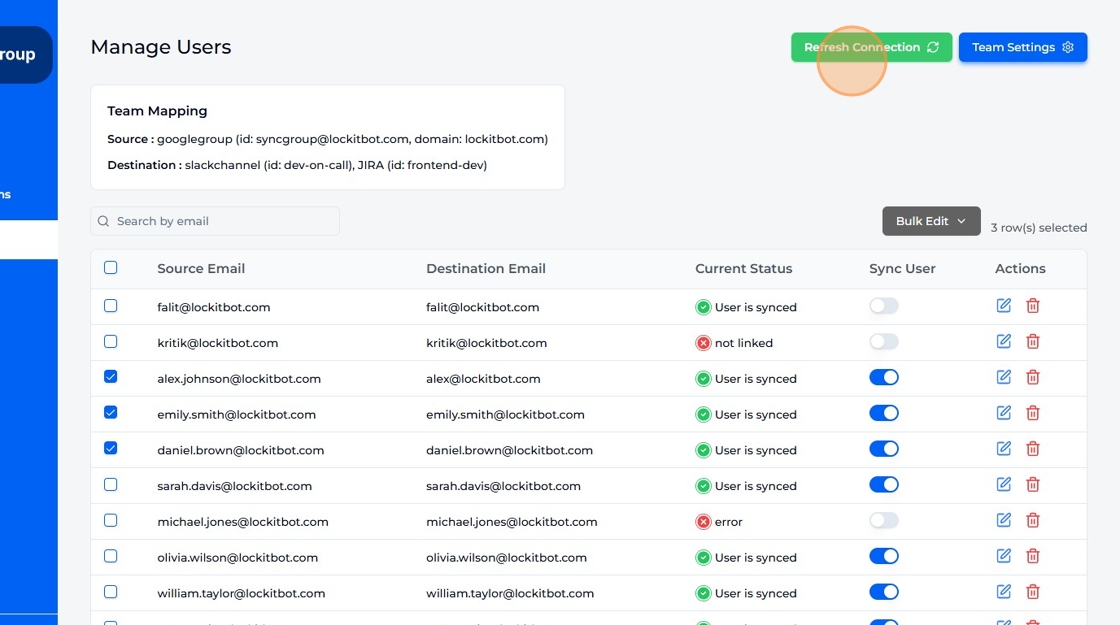
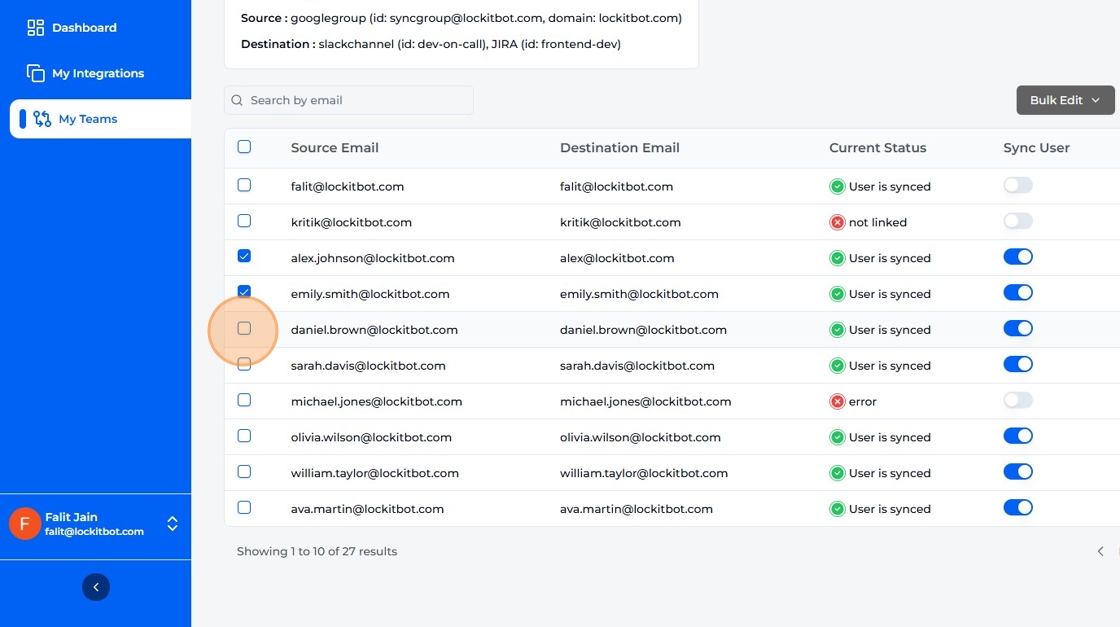
Select multiple users for bulk update.
-
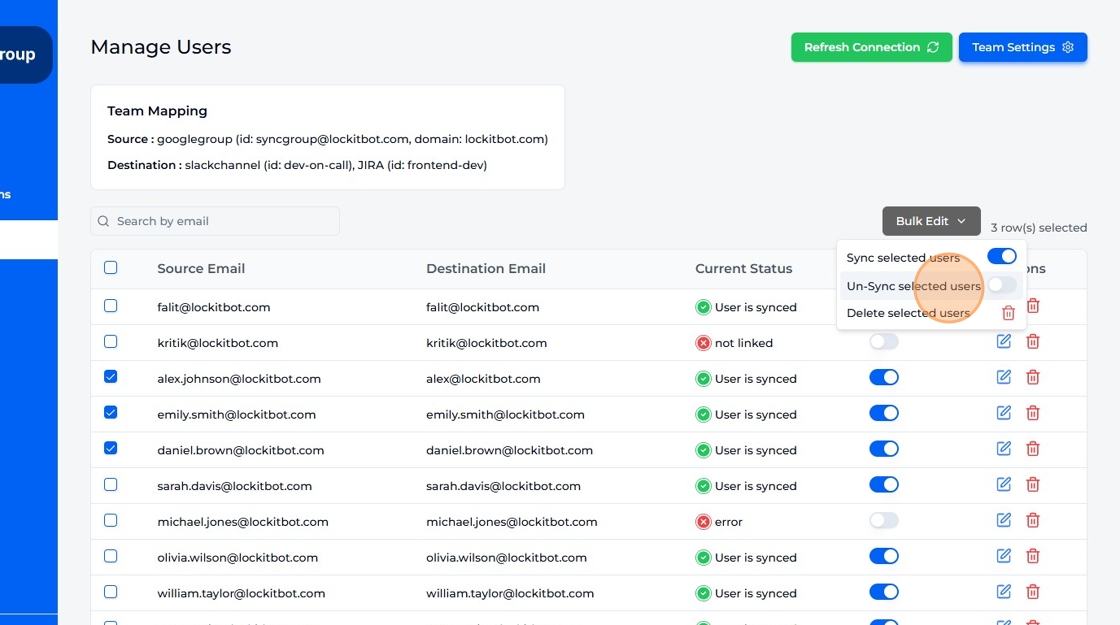
Click "Bulk Edit" button and select an option based on your requirement.
-
Click "Refresh Connection" button to refresh every user's connection.