Reference
Slack bot commands
Get help and subscribe a channel to a team's sync changes with @SyncMyGroups.
The SyncMyGroups Slack app posts sync changes to your channels and answers a couple of commands. Add it to your Slack workspace first.
Every setting lives in the dashboard. The bot only reports changes and points you there.
Commands
| Command | What it does |
|---|---|
@SyncMyGroups help | Shows the help message, with a link to the dashboard and a way to contact us for queries, integration requests or support. |
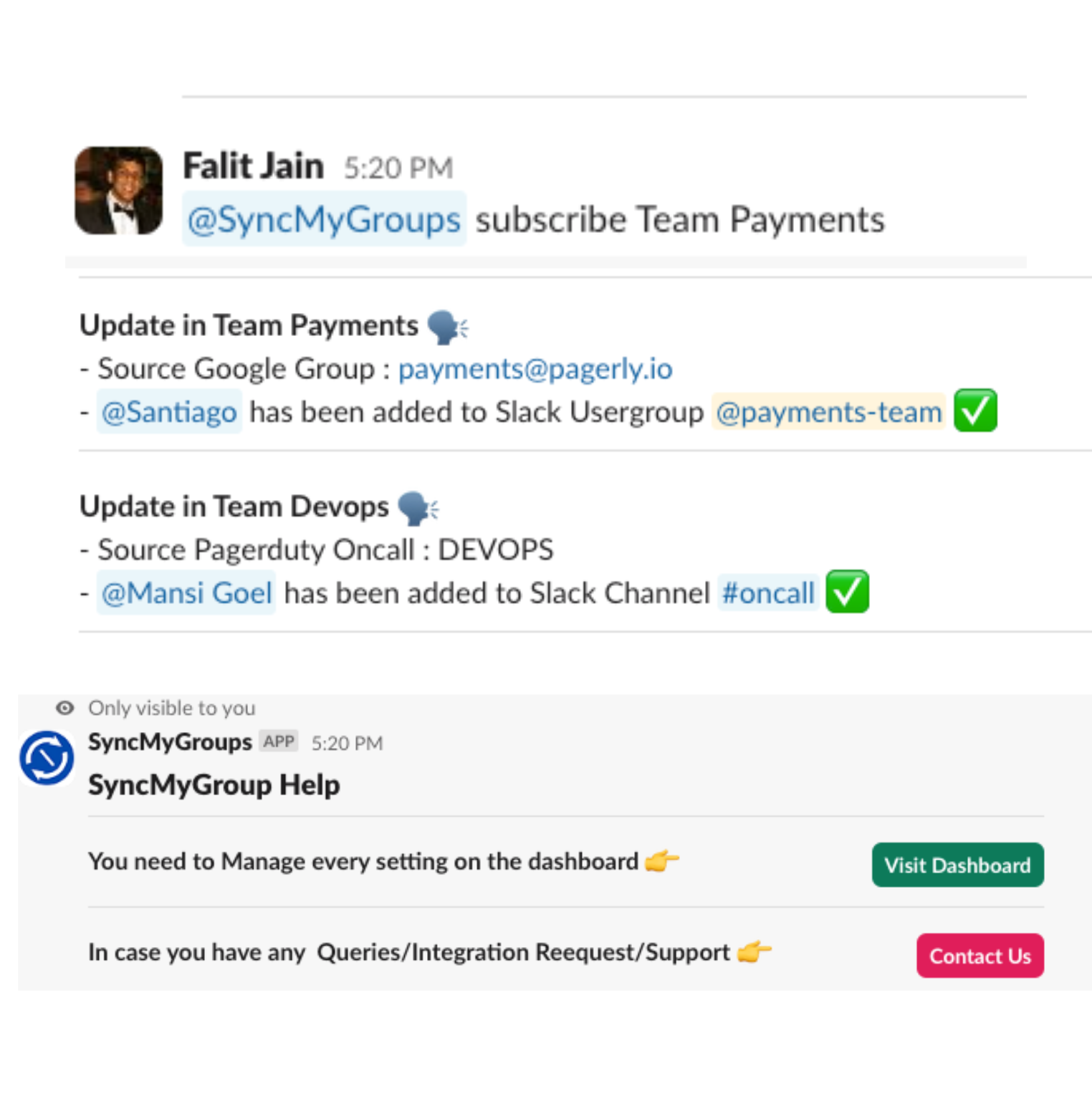
@SyncMyGroups subscribe <team> | Posts real-time alerts to the current channel whenever a user is added to or removed from that team. |
Example
Mention the bot with the team's name in the channel where you want alerts:
@SyncMyGroups subscribe Team Payments
From then on, each sync change in that team is posted there — for example, which source group a change came from and which user was added to which Slack usergroup or channel.